Best golf simulator under $5,000: a full build
A complete golf simulator under $5,000: Garmin R10, short-throw projector, DIY enclosure kit, mat and PC, with a parts table and the real 3-year cost.
- Topic
- How To
- Published
- Read
- 7 min

In this guide 10 sections
- What does a $5,000 golf simulator include?
- Why a Garmin R10 for the launch monitor?
- Which projector fits a $5,000 build?
- What does the enclosure kit include?
- Which mat and padding should you buy?
- What does it cost over three years?
- What does this build do well, and where does it fall short?
- How do I check the room before I buy?
- What should you upgrade first when the budget grows?
- Questions people ask
You can build a complete golf simulator for under $5,000, and the version I'd build around is a Garmin R10, a BenQ TH671ST short-throw projector, Carl's Place's 8x8 DIY enclosure kit and a hitting mat. The parts total about $3,460 if you already own a computer or smartphone, and about $4,960 with a new gaming PC. This post lists every part with its price, adds three years of software, and says plainly what the build can't do. It's an example build, not a kit I'm selling, and I haven't built this exact combination, so the numbers come from manufacturer and retailer pages, not from a test bay.
Prices checked November 2026.
What does a $5,000 golf simulator include?
The full parts list below uses current list prices, not Black Friday sale prices, so the total holds up when the sales end. Sale prices I saw on November 23 are noted underneath.
| Part | Pick | Price | Source |
|---|---|---|---|
| Launch monitor | Garmin Approach R10 | $499.99 list | Garmin US store |
| Projector | BenQ TH671ST (1080p, lamp, 0.69-0.83:1) | $949.00 | Carl's Place |
| Enclosure and screen | Carl's Place DIY kit, 8x8, Standard screen | $999.95 | Carl's Place |
| Frame pipe | 1-inch EMT from a hardware store | About $200 (allowance) | My planning figure from the cost guide |
| Hitting mat | Country Club Elite | From $479.00 | Carl's Place |
| Projector cable | AOC locking 32.8 ft HDMI cable | $79.99 | Carl's Place |
| Padding, mount, power, tees, balls | Allowance | About $250 | My allowance, not a quote |
| Subtotal, no new computer | About $3,458 | ||
| Computer | Prebuilt desktop, Ryzen 7, RTX 5060 Ti, 16 GB, 1 TB | $1,499.99 | Costco listing, iBUYPOWER Element |
| Total with a new PC | About $4,958 |
Sales on November 23: Garmin had the R10 at $399.99, Rapsodo had its MLM2PRO at $399.99 through November 30, and Carl's Place had 20% off Country Club Elite mats through November 30. The projector and kit prices are from Carl's Place's projector guide and its DIY kit page. Prebuilt PC prices that month ran from about $1,350 to about $1,700 across Newegg and Costco, so the $1,499.99 is a middle figure, not a floor.
Why a Garmin R10 for the launch monitor?
At this budget the launch monitor is the part you spend the least on, because everything around it costs about the same whether it's a $500 or a $5,000 unit. The Garmin R10 is the cheapest unit with a real simulator ecosystem: it connects to Garmin's Home Tee Hero, and GSPro lists it as an officially supported launch monitor with no extra subscription noted.
Know what it is. The R10 is a radar unit that sits on the floor behind the ball. Garmin's manual says to put it 6 to 8 feet behind the tee, with the tee at least 8 feet from the net when you play indoors, and the hitting area is a 2 by 2 foot square that begins 6 feet from the unit. Indoors the ball only flies a few feet before the screen, so owners report that spin is estimated rather than measured unless you use Titleist RCT balls (owner thread on Garmin's forum). My R10 indoor setup guide covers placement, alignment and app settings.
The closest alternative is the Rapsodo MLM2PRO, which adds cameras and measures spin with its marked balls. It lists at $699.99, and Rapsodo's memberships page says simulation and club data need the $199.99-a-year Core plan. I compare the two head to head in my Garmin R10 vs Rapsodo MLM2PRO post. For a first simulator under $5,000, the R10's lower yearly cost wins.
Which projector fits a $5,000 build?
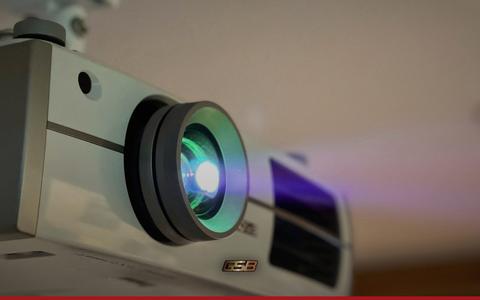
The BenQ TH671ST is a 1080p lamp projector with a 0.69 to 0.83:1 throw ratio. Carl's Place lists it at $949 and notes a full native image width of 115 inches. It isn't a laser, so the lamp will need replacing eventually, and at 3,000 lumens it wants a dark room. It's also the cheapest short-throw projector Carl's lists that works from a ceiling mount in a normal room. My projector guide compares it with the Optoma GT2000HDR, which Optoma sells as a laser with a 0.5:1 lens and which CDW listed at $1,327.99 against a $1,799 list price.
The one number to get right is throw distance. With an 8-foot-wide image, a 0.69 to 0.83:1 lens sits about 5.5 to 6.6 feet from the screen (0.69 x 96 inches is 66 inches; 0.83 x 96 is about 80). Run your own room through the projector throw distance calculator before you buy anything.
What does the enclosure kit include?
Carl's Place sells the DIY kit with the screen, a black enclosure fabric (it calls it BlackStop), the steel corner fittings and the instructions. The 8x8 size with the Standard screen is the lowest price, $999.95. The pipe is not included unless you add its framing kit, which is why the table carries a pipe allowance. Carl's Place describes the Standard screen as a loosely woven, 100% heavy-duty polyester budget material, and says its screens are tested against balls at up to 250 mph.
Stepping up to the Preferred screen in the same size costs $1,229.95, and the Premium costs $1,479.95. I'd keep the Standard for a first year and upgrade the screen alone when it wears. My impact screens guide covers what each material trades off, and the enclosure types guide compares kits with framed and retractable options.
Which mat and padding should you buy?
Don't spend the mat and padding money on anything else. A hard mat is the most common reason a simulator stops getting used, and bare drywall beside the screen is where a mishit does its damage. The Country Club Elite is $479 and accepts real tees, but Carl's Place's own notes call it notably firm, so if you hit a lot of balls, the HotShot from $499.95 is the softer choice for about $20 more. Carl's Place sells both, so those comfort ratings come from a seller; my mats guide has the details.
The $250 allowance covers foam or carpet for the side walls and ceiling near the screen, a ceiling mount for the projector, an extension cord and a few Titleist RCT balls. It is a planning figure, not a quote. If your garage door or wall is within a swing of the screen, use more of it.
What does it cost over three years?
| Phone and Home Tee Hero | New PC and GSPro | |
|---|---|---|
| Parts, from the table above | About $3,458 | About $4,958 |
| Software, 3 years | Garmin Golf $99.99 x 3 = $299.97 | GSPro $250 x 3 = $750 |
| Three-year total | About $3,760 | About $5,710 |
Garmin lists the Garmin Golf membership at $9.99 a month or $99.99 a year, and Home Tee Hero requires it. GSPro is $250 a year and no longer sells a lifetime license. The Garmin Golf app itself is free, so range practice doesn't cost anything after the unit. The PC build crosses $5,000 over three years because of the software, so treat "under $5,000" as the day-one price.
The same exercise with an MLM2PRO at list price: $699.99 plus Core at $199.99 a year after a 21-day trial is about $1,300 over three years before any course software, against about $800 for an R10 with Garmin Golf. To add GSPro on top, Rapsodo's page says a Premium membership is required for the MLM2PRO, so you'd pay both.
What does this build do well, and where does it fall short?
- It plays real courses. Garmin's R10 manual puts Home Tee Hero at over 43,000 courses, and GSPro lists the R10 as a supported unit.
- It's a good first year. You can upgrade the launch monitor later and keep the screen, projector and mat.
- It needs depth. About 14 feet of launch-monitor-to-net distance plus swing and screen space puts the room at 15 to 17 feet, so a one-car garage or a 12-foot room is a poor fit.
- Indoor spin and club data are estimates. Short game, wedges and anything spin-dependent will read less reliably than a camera unit.
- It needs setup each session. The unit sits on a tripod behind the ball and has to be aligned to the target, so it's less of a walk-up system than an overhead unit.
How do I check the room before I buy?
Measure ceiling height, width and depth first. A simulator needs about a 9-foot ceiling, 12 feet of width and 17 feet of depth to work well, and my room dimensions guide shows what changes at each threshold. Then price the build with the budget builder, which adds the costs people forget, and read the kit checklist before you order anything that calls itself a kit.
What should you upgrade first when the budget grows?
The launch monitor. Moving to a camera unit like the Square Golf Omni ($1,599, a floor camera that sits beside the ball and needs no subscription, though it was on back order in November 2026) removes the depth requirement behind the ball and measures spin directly. The next step up is my best golf simulator under $10,000 build, which is where an overhead or floor camera unit, a laser projector and a better screen all become affordable. The best launch monitors list has the whole field.