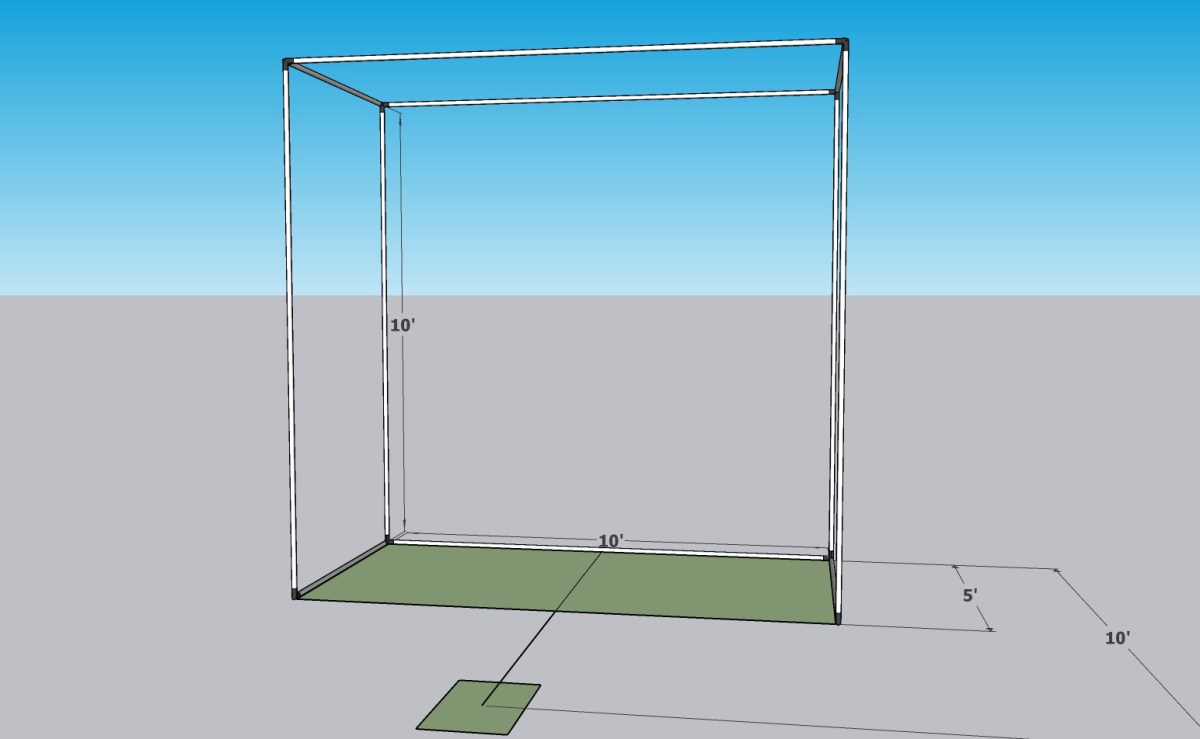
How To Build a DIY Golf Simulator Pt. 1

Let’s get started – Floor Dimensions
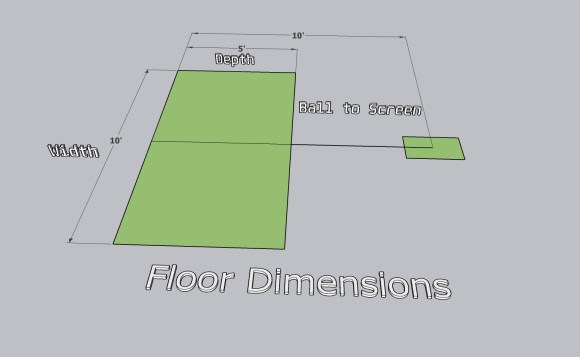
how to build a DIY golf simulator


     The first step to building a DIY golf simulator is figuring out the floor dimensions you have to work with. These can be any size you want, for this example I chose to design a small simulator with a 10 foot wide screen and the frame to be 5 feet deep.

     Width is going to be your screen size, depth is how deep the enclosure will end up being. The depth is key because you want it deep enough to prevent an errant shot (shank!) from damaging anything in your home. I wouldn’t suggest anything less than 3-4 feet of depth.

     The final floor dimension to take into account is the ball to screen distance. If you have a camera based launch monitor, you have the flexibility to shorten this up. In this example I am using 10 feet from the center of the hitting surface to the screen, which is a good starting point. It gives enough distance for the ball to not bounce off the screen and hit the golfer. If you have a radar based launch monitor, see the manufacturer recommended distance here, as the radar needs to monitor the ball flight for a minimum distance to get accurate readings.

Source Building Material – Build a DIY Golf Simulator
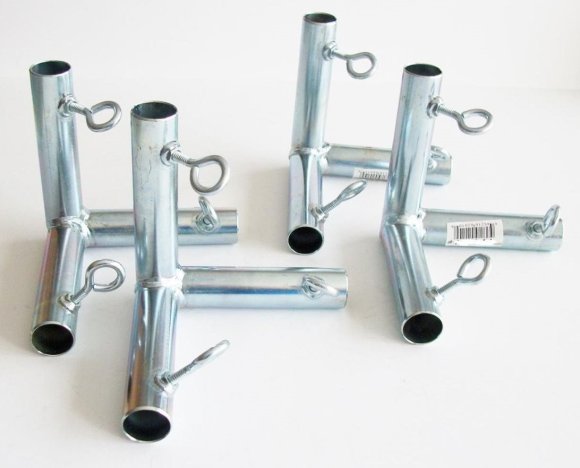
golf simulator corner fittings
golf simulator frame material

     Once you have your dimensions sorted out, now you can source your material to build your DIY golf simulator enclosure frame.

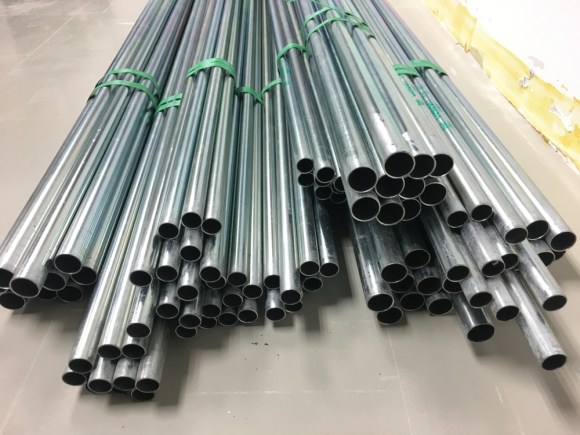
     I suggest using 1″ EMT metal conduit, it is easily sources from your local Lowe’s or Home Depot, its fairly inexpensive for a building material and its strong enough to hang your enclosure fabric, projector and launch monitor without sagging. It also normally comes in 10 foot lengths, convenient! You can use a wide variety of materials to frame out the enclosure, such as wood or steel/aluminum pipe as well.

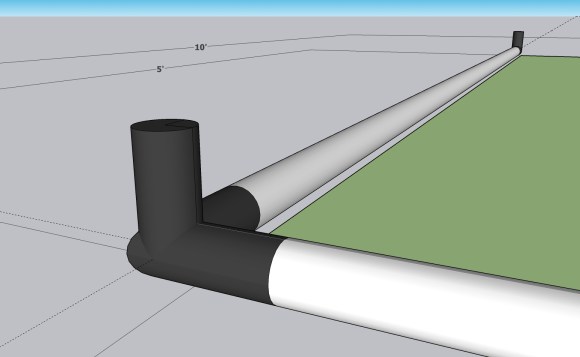
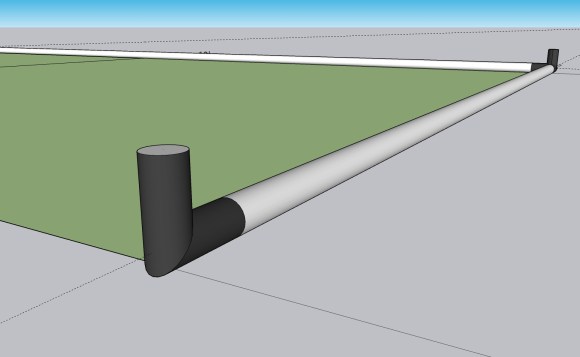
     To tie all the 1 inch EMT conduit pipe together, you are going to need some corner fittings. The fittings on the image above (left) are 3-way corner fittings, you will also need some 2-way L fittings. You can find these from tarps.com at a good price. I will include a list of the quantity and type of fittings, and the length of pipe needed, later on in this article.

Assemble the Base of the Frame
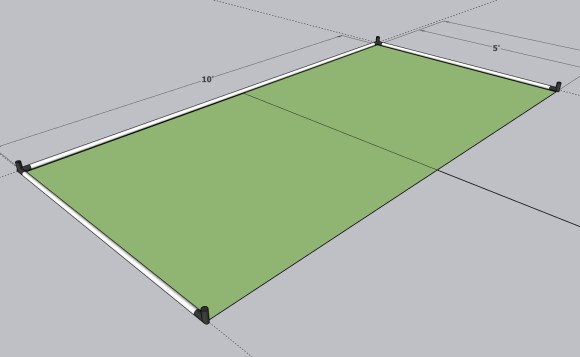
how to build a DIY golf simulator

how to build a DIY golf simulator
3-Way Corner Fitting
how to build a DIY golf simulator
2-Way L Fitting

     Here is where some math comes into play, so measure twice! Prior to cutting down your pipe, see how deep the pipe fits into the corner fitting, you want the top interior edge of the 3-way corner fitting to be 10 feet from the opposite fittings interior edge (width side), so your 10 foot screen fits perfectly later on. I strongly suggest doing some test fits, and marking the pipe with a marker prior to cutting, or else you may need to make another trip to the hardware store… ask me how I know. You may get lucky and not have to cut down your 10 foot length of pipe.

     Now you can secure your 1″ EMT conduit pipe, to two 3-way corner fittings in the back (screen side), and two 2-way L fittings on the front side (towards the golfer). Congrats, you have the foundation of your new DIY golf simulator laid!

How to Build a DIY Golf Simulator Pt. 2
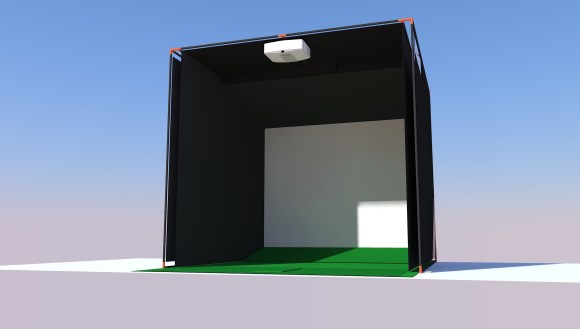
how to build a golf simulator enclosure
How to Build a DIY Golf Simulator

Subscribe below to get an email when Part 2 of “How to Build a DIY Golf Simulator” is posted.  Coming Soon!
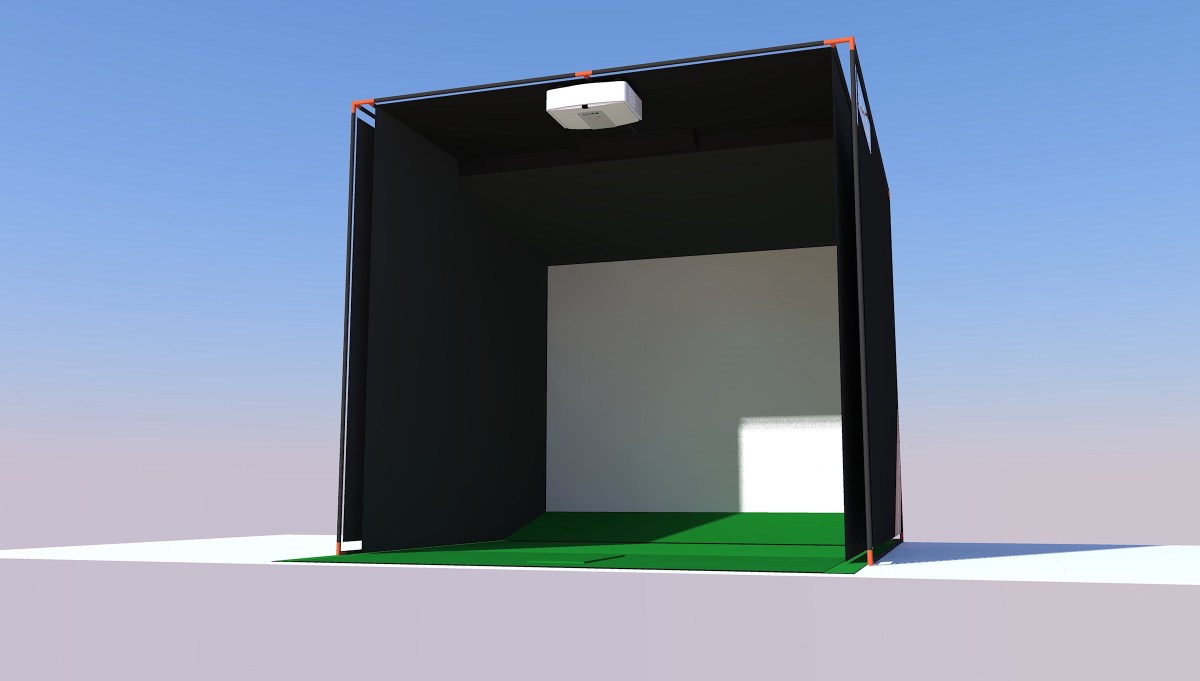
How to build a golf simulator enclosure

How to build a golf simulator enclosure

A custom DIY golf simulator enclosure can be a great addition to any home that allows for indoor practice and play. Building your own enclosure can be a fun and rewarding DIY project, and it can also save you money compared to purchasing a pre-made enclosure. Here are some steps to follow if you want to build your own golf simulator enclosure:

how to build a golf simulator
  • First, you will need to choose a space in your home that is large enough to accommodate the enclosure. A spare room or garage is often a good choice. The size of your available space will dictate what launch monitor you can user, the best projector that fits your needs and if you can accommodate left or right handed players.
  • Second, reference our free E-Book for design examples. We cover how to tackle the design process from start to finish. Don’t just buy a DIY sim in a box, you can build a product that fits your space perfectly, and you will get a higher quality result.
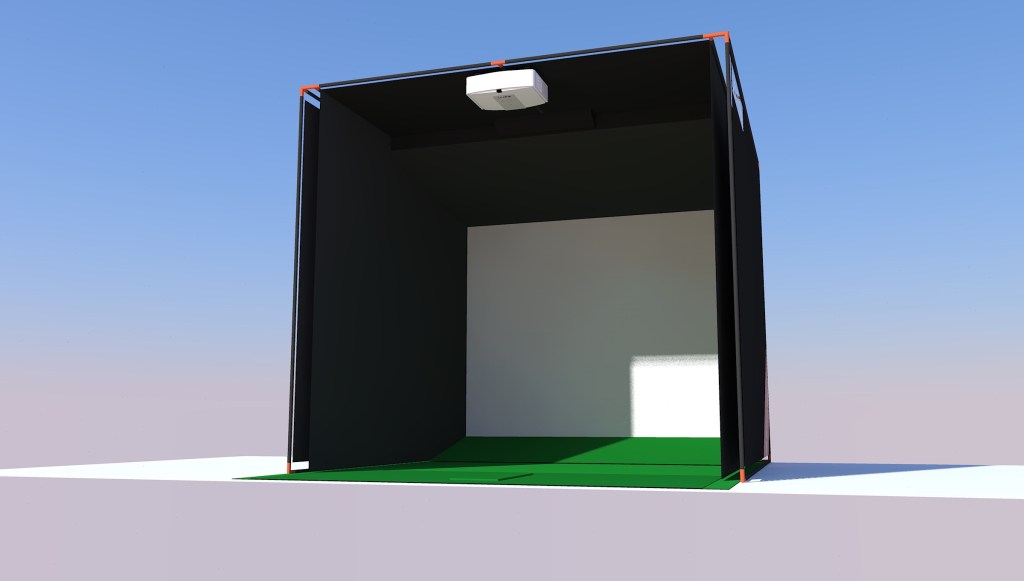
    • The dimensions of the frame are critical to accommodate the launch monitor and projector, as well has enough space to swing a golf club freely.
  • Next, you will need to gather the materials and tools you will need for the project.
    • The most popular framing material is 1″ EMT (electrical metallic tubing) conduit. It is a thin wall metal pipe, traditionally used in construction for electrical conduit.
    • To connect the length of tube, you will need 1″ EMT fittings. Tents.com is where I sourced all the fittings to to build my first simulator.
    • You will need to source some fabric for the side walls / baffling, as well as the ceiling. I suggest just going to a local fabric store near you.
    • Impact Screen – This could be as as expensive as $500-$1000 for a premium screen, so plan accordingly. I have seen some people use a net or a bed sheet to make due, but you really want a nice impact screen that displays a good image quality from your projector.
    • Download our E-Book for a breakdown of pricing and all the extra miscellaneous parts you will need.
  • Once you have all of your materials, you can begin building the frame for the enclosure. This will typically involve cutting piping to size and using fittings to secure the pieces together.
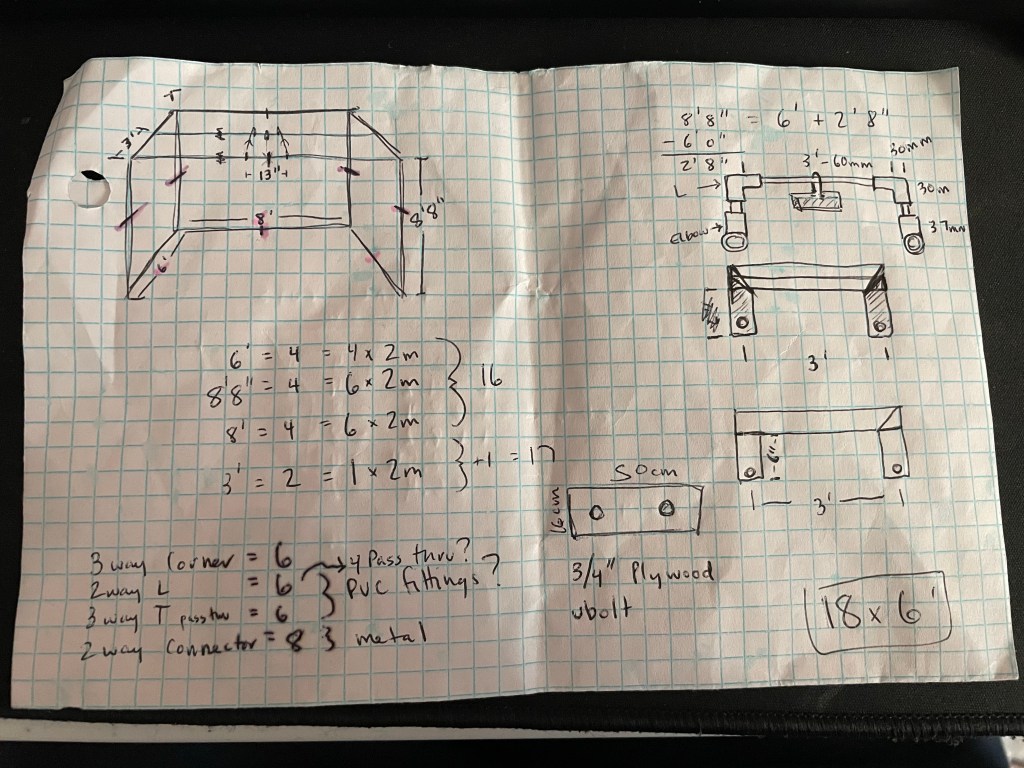
how to measure dimensions of a golf simulator enclosure

How I designed my first custom golf simulator enclosure.

  • Once the frame is complete, you can attach the screen material or netting to the walls of the enclosure. This will typically involve using Velcro or other fasteners to secure the material to the frame.
  • Finally, you can add any additional features or accessories to the enclosure, such as golf club racks or lights. You may also want to add padding or other protective materials to the walls to reduce the risk of damage to your golf clubs or balls.

Overall, building a golf simulator enclosure is a relatively straightforward DIY project that can be completed in a few days with the right materials and tools. Just be sure to plan ahead and carefully follow the steps outlined above to ensure a successful outcome.

What is a golf simulator?

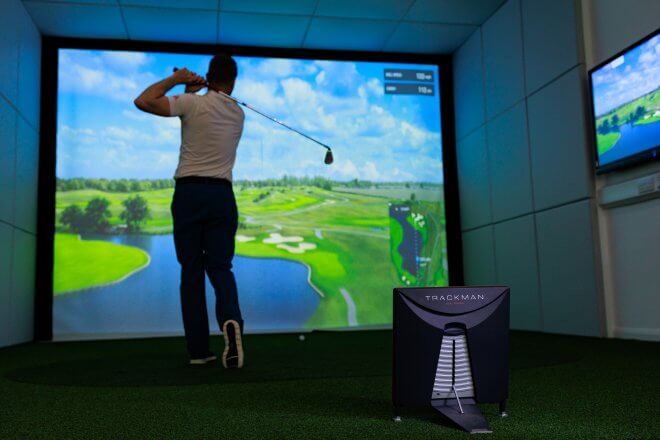
Golf simulators are a relatively new technology that allows golf enthusiasts to practice and play their favorite game indoors. These simulators use advanced sensors and software to accurately track the flight of a golf ball and simulate the conditions of various real-life golf courses.

Advantages of building a golf simulator

One of the main advantages of golf simulators is that they provide a convenient and realistic way to practice and play golf without the need to go to an actual golf course. This is especially useful during the winter months or when weather conditions are unfavorable.

How a golf simulator can improve your game

Golf simulators can also be a great way to improve your game. By providing accurate feedback on factors like clubhead speed, ball speed, launch angle, and spin rate, these simulators can help golfers identify areas for improvement and make more informed decisions about their equipment and technique.

Play golf, indoors!

In addition to being a useful practice and training tool, golf simulators can also provide a fun and engaging way to play the game. Many simulators come with a variety of virtual golf courses to choose from, allowing golfers to experience new and exciting courses from the comfort of their own home. Some even offer multiplayer modes, allowing friends to compete against each other in a virtual setting.

What software should I use?

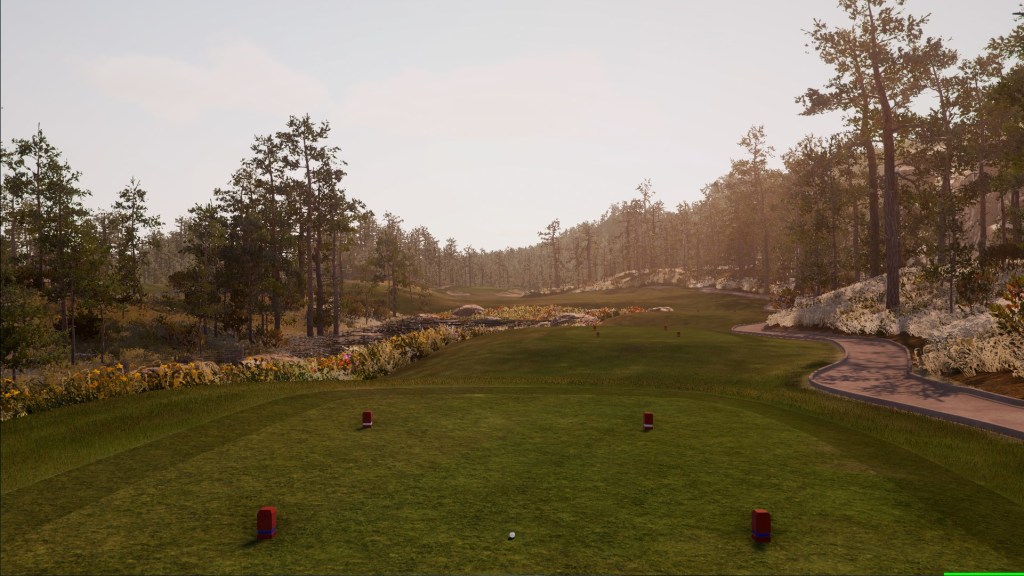
Once you get set up, you will need to choose the launch monitor and the software you want to play on. GSPRO golf, is only $250/yr at the moment. It has an ever expanding course library with the ability to run 4K graphics.

GSPRO Golf Simulation Software – $250/yr

Another option is E6 Connect. This software is more expensive, but has been popular for a long time in the commercial golf simulator space for its ease of use in a business application. Check out their website here for more information.

What are the cons of a golf simulator?

Of course, golf simulators are not without their drawbacks. One of the biggest challenges is the cost. While there are some more affordable options available, high-end golf simulators can be quite expensive. Additionally, the space required to set up a golf simulator can be a limiting factor for some golfers.

If you want to build a DIY golf simulator, we provide you with a free E-Book.

Also, visit our post how to build a golf simulator enclosure for information on how to DIY the frame and the materials needed to mount a projector and a launch monitor.

how to build a golf simulator enclosure

Learn how to build this enclosure in our free E-Book

Overall, golf simulators provide a convenient and realistic way for golfers to practice and play their favorite game. While they may not be a replacement for the real thing, they can be a valuable tool for improving your game and having fun in the process.

Top 5 Golf Simulator Projectors 2023

Choosing a projector for your golf simulator is very confusing. There are thousands of options out there, with infinite combinations of features and specs. “Golf simulator projectors for sale” is a good choice for your first google search, but we have compiled a list to rank the best golf simulator projectors in 2023 to save you some time.

5. BenQ TH671ST – $749

This is a 1080p full HD short throw projector that debuted in 2017. Still a viable option in 2023, with its 0.69:1 – 0.83:1 throw ratio making it a great projector for a custom golf simulator. This throw ratio is very important, meaning it has an optical zoom of 1.2x, providing the flexibility to work with varying distances to the projector screen.

It sports an ANSI brightness of 3,000 lumens, so you will want to run it in a room with low ambient light that won’t impact the golf simulator screen.

One negative to this projector is that it only has vertical keystone adjustment. This is what we consider a entry level, budget golf simulator projector.

4. Optoma GT1080HDR – $799

This is our best value golf simulator projector for 2023 is the Optoma GT1080HDR. Released in 2019 it is still a favorite projector for private golf simulators at home. It can be found for under $800, making it one of the cheapest short throw projectors on the market. Its 1080p resolution makes it very usable for a home golf simulator, while still displaying a quality image.

It isn’t going to blow you away with features. However it has an impressive ANSI brightness rating of 3,800 lumens. It can display 16:9 or a 4:3 aspect ratio making it flexible for your space requirements.

The MOST important feature that makes this a serious contender on our list, is the “short throw ratio“. This is an absolutely critical spec that needs to be taken into account when deciding what projector works best for a golf simulator.

3. BenQ TK700STi – $1499

Number 3 on our list is the BenQ TK700STi which makes a good entry as our first 4k golf simulator projector. It is a step up in price for the other contenders on our list, but that is to be expected to make the jump to a 4K resolution golf sim projector.

Technically it is a short throw ratio projector, but at the long end of the range at 0.90:1 – 1.08:1. This isn’t necessarily a bad thing, it all depends on the space you have available for your home golf simulator. Use projector central to determine what projector will be best for a golf simulator in your house. They have a fantastic tool to get exact dimensions for a golf sim screen size.

The BenQ TK700STi has an ANSI brightness of 3,000 lumens. It is capable of 3D, 4K UHD, 1.2x manual zoom, and horizontal / vertical keystone adjustments. This is a great mid tier home golf simulator projector.

2. BenQ LK936ST – $4,899

This 4K UHD Laser projector ranks as the most expensive, and best performing golf simulator projector on our list. The price is the only reason it ranks #2.

All-in-one home theater and golf simulator ready. With a 0.8:1 short throw ratio and 1.1x zoom capability, the BenQ LK936ST is able to produce larger-than-life images in tight spaces.

5,100 ANSI lumens, a lamp life of 20,000 hours, true short throw capability with horizontal and vertical keystone adjustment makes this a flexible player in the golf sim projector space.

1. Optoma UHD35STx – $1749

Our #1 choice for 2023 is the Optoma UHD35STx. This is the best golf simulator projector for the performance to value ratio for this year. It offers 4K resolution, 3,600 ANSI lumens, 3D capability and most importantly a 0.50:1 short throw ratio.

You can’t beat the price of this unit for the capability it has, so we deemed it the BEST golf simulator projector for 2023.

Not only is this golf sim projector a perfect match for you new custom home golf simulator, it can be an ultra low latency gaming projector, capable of 1080p at 240hz, which rivals some of the best gaming monitors you can buy. This can be a great multi use projector, from golf simulation to home theatre to XBOX/PS5 gaming requiring ultra low latency for FPS and competitive gaming.

This is a very well rounded, high performing golf simulator projector that tops our list at #1 due to its capability, specs and value. You can’t go wrong with the Optoma UHD35STx for sale at $1749.