
Golf simulator launch monitors: radar vs camera vs overhead
How radar, floor camera and overhead golf simulator launch monitors measure a shot, how much room each needs, and which type fits your space and software.
- Updated
- Read
- 6 min
In this guide 9 sections
- What does a golf launch monitor actually measure?
- How does a radar launch monitor work indoors?
- How does a camera launch monitor work?
- What is an overhead launch monitor?
- Which type of launch monitor fits your room?
- Does ball data or club data matter more?
- Will the launch monitor work with my simulator software?
- Which launch monitor type should you start with?
- Questions people ask
Golf simulator launch monitors come in three types: radar units that sit behind you and track the ball in flight, camera units that sit beside the ball and photograph impact, and overhead units that do the same job from the ceiling. The right type depends mostly on your room. Radar needs about 16 feet of depth, cameras need very little, and overhead needs a ceiling of roughly 9 to 10 feet. This page explains how each one measures a shot and which fits your space. If you already know the type, go straight to my best golf simulator launch monitors list.
What does a golf launch monitor actually measure?
Every launch monitor captures the first instant of the shot and hands those numbers to simulator software, which draws the ball flight on screen. The numbers fall into two groups.
- Ball data: ball speed, vertical launch angle, horizontal launch direction, total spin and spin axis. These five decide carry, curve and where the ball ends up.
- Club data: club speed, club path, face angle, attack angle, and on premium units dynamic loft, spin loft, impact location and shaft lean. These explain why the ball did what it did.
Budget units measure ball data well and estimate most club numbers. Premium units measure both. That gap matters if you work with a coach or fit clubs. It matters much less if you mostly play rounds.
How does a radar launch monitor work indoors?
A radar unit sends out a microwave signal and reads the Doppler shift off the moving ball and club. Outdoors, it can follow the ball for its whole flight. Indoors, it only sees the ball for a few feet before the screen, so it has to work with a short sample.
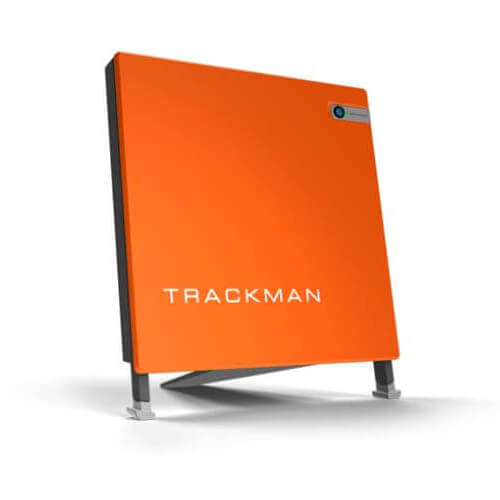
That's why radar needs depth. A typical setup puts the unit 6 to 8 feet behind the ball and leaves about 8 feet of flight to the screen. FlightScope's indoor spec for the Mevo Gen2 is 16 feet: 8 feet from sensor to tee and 8 feet of flight. The Garmin Approach R10 is similar. The Trackman 4 wants 6 to 9.5 feet behind the ball.
Spin is the weak spot. A short indoor flight gives the radar little rotation to read, so most brands recommend Titleist RCT balls, which have a reflective marker inside, or a metallic sticker on a standard ball.
Where radar wins: one device for the range, the course and a deep garage. Because it sits behind the hitter, left- and right-handed players can share it without moving it.
Where it struggles: rooms under about 15 feet deep, and spin readings without marked balls.
Common examples: Garmin Approach R10, FlightScope Mevo Gen2 and the older Mevo+, Full Swing KIT and Trackman 4. Rapsodo's MLM2PRO and MLM2X Pro combine radar with cameras.
How does a camera launch monitor work?
A camera (photometric) unit sits on the floor beside the ball. When the club strikes, it takes a burst of high-speed images of the ball and clubhead in the first few inches of travel, then calculates speed, launch and spin from how the ball moved and rotated between frames. It doesn't watch the flight. The software builds the flight from those impact numbers.
Because everything happens within inches of the ball, a camera unit needs no extra room depth. That makes it the usual answer for basements, spare bedrooms and short garages. Spin is read from the ball itself, so marked balls usually aren't needed.
The trade-off is handedness. A floor unit has to sit on the side of the ball facing the golfer, so a left-handed player means moving and re-aligning it.
Common examples: Square Golf Omni, Uneekor EYE MINI, Bushnell Launch Pro, Garmin Approach R50, and Foresight's GC3, GCQuad and QuadMAX. I go deeper on how these read spin and club data in my camera-based launch monitors explainer.
What is an overhead launch monitor?
An overhead unit is a camera system, sometimes with radar added, mounted on the ceiling and looking down at the hitting area. Most mount at about 9 to 10 feet; the Trackman iO's spec is 9'4" to 10' above the hitting surface, and the Uneekor EYE XR wants at least about 9'4" of ceiling.
From above, the unit sees both sides of the ball equally, so left- and right-handed players can alternate shots without touching anything. Nothing sits on the floor to trip over or hit. Once it's calibrated, it stays put.
The downsides are cost, a permanent install and ceiling height. Most current overhead units run from about $5,500 to $20,000.
Common examples: ProTee VX, Uneekor EYE XR and EYE XO2, TruGolf APOGEE, Foresight Falcon and GCHawk, and the Trackman iO, which uses radar plus cameras.
Which type of launch monitor fits your room?
| Your room or situation | Best type | Why |
|---|---|---|
| Under about 15 ft deep | Floor camera or overhead | Neither needs space behind the ball |
| 16 ft or more deep, used outdoors too | Radar | One device for range and sim |
| Ceiling under about 9 ft | Floor camera or radar | Most overhead units want 9 to 10 ft |
| Permanent room, mixed left/right players | Overhead | No moving the unit between shots |
| Garage with cars parked in it | Floor camera or radar | Packs away; nothing fixed to the ceiling |
| Renting, or you'll move in a few years | Floor camera | No ceiling holes, easy to take with you |
| Commercial bay | Overhead | Fast, hands-off, nothing on the floor |
| Coaching or club fitting | Premium floor camera or Trackman | Measured club data, not estimated |
Does ball data or club data matter more?
For playing rounds, ball data matters most. If ball speed, launch, spin and spin axis are right, the shot on screen will match the shot you hit. Most current camera and overhead units get these right indoors.
Club data matters when you want to change something. Club path and face angle tell you why the ball curved. Attack angle tells you why your driver spin is high. Spin loft, dynamic loft and shaft lean are fitting and coaching numbers.
Two practical notes. Some brands sell club data as an upgrade or tie it to a subscription tier, so "measures club data" on a spec sheet doesn't always mean it's included. And some camera units need stickers on the club face for certain club numbers, while newer ones read the club without them.
Will the launch monitor work with my simulator software?
The launch monitor sends numbers; the software turns them into a round. Pick the software you want, then confirm the monitor supports it. My golf simulator software guide compares the main programs.
| Launch monitor | Own software | GSPro | Subscription notes |
|---|---|---|---|
| Garmin R10 | Garmin Golf / Home Tee Hero | Yes | Home Tee Hero needs a Garmin plan |
| FlightScope Mevo Gen2 | FS Golf, E6 (8 courses) | Yes | No FlightScope fee for GSPro |
| Square Golf Omni | Square app | Yes | No subscription for third-party software |
| Uneekor EYE MINI, XR, XO2 | Uneekor View | Yes | Pro membership or higher for GSPro |
| Bushnell Launch Pro | Foresight FSX | Depends on plan | Yearly plan after a short free trial |
| Foresight GC3, GCQuad, Falcon | FSX Play | Yes | Course packs and plans vary |
| ProTee VX | ProTee Labs | Yes | No subscription; GSPro needs a ProTee activation |
| Trackman iO | Virtual Golf, Performance Studio | No | About $700 to $1,100/yr after year one |
GSPro itself is a separate purchase on every unit. If your friends all play in the same GSPro league, that alone can rule out a Trackman iO.
Which launch monitor type should you start with?
Measure the room before you shop. If it's under about 15 feet deep, cross off radar. If the ceiling is under about 9 feet, cross off most overhead units. If you have mixed-handed players and the room is permanent, start with overhead. If you want one device for the range and the garage, start with radar.
Then compare models inside that type. My best golf simulator launch monitors page has picks at every budget, with current prices and a full comparison table. Launch House also has a launch monitor buying guide that covers marked balls and software in more depth.
Prices checked November 2026.